coast.mp4Illustrative media preview
MP401 / VIDEO
The format comes from the source.
Review the available video and audio formats before starting. No invented quality options.
Download videos, audio and images from supported public sources. Choose the available format, follow progress, and keep the file.
Free · Open source · No account required

LinkedIn, Pinterest and Threads join the source guide. Public content only; new adapters require the latest application source.
Public video posts. A real sample was downloaded on v0.1; availability varies by link and region.
Full capability guideYouTube is not available in v0.1. Platform logos identify sources; no affiliation is implied.
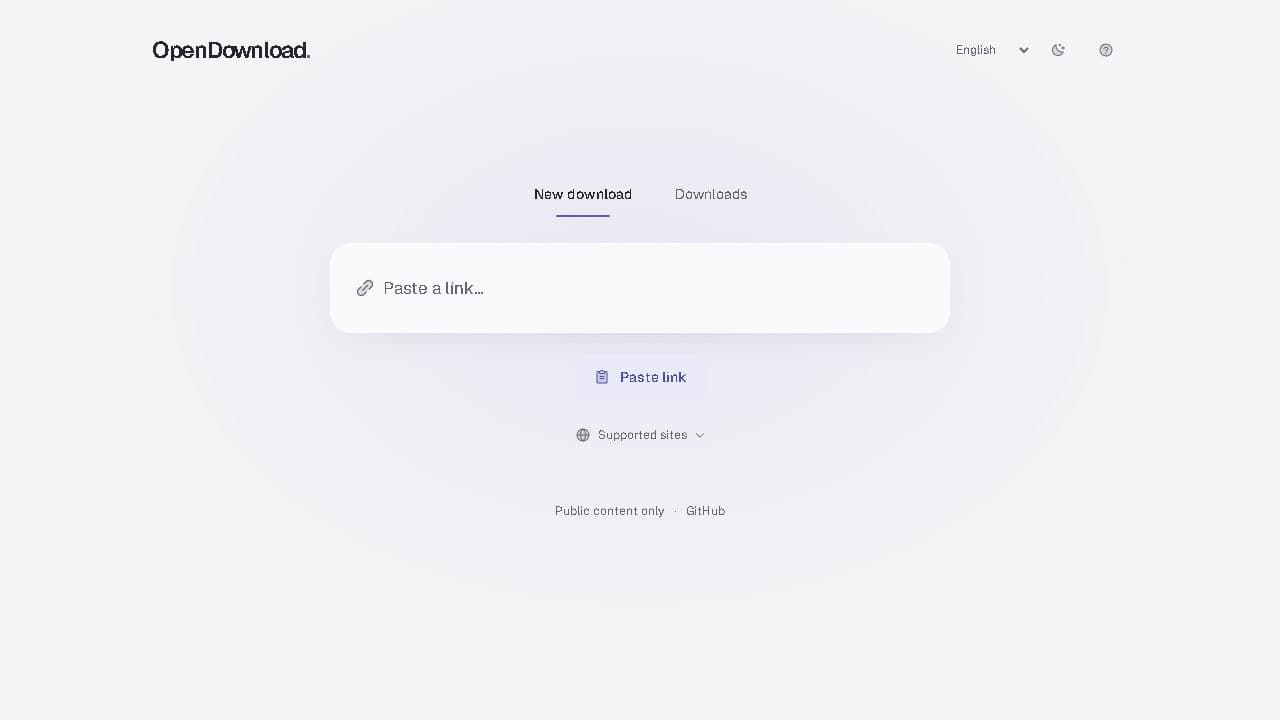
An actual look at OpenDownload 0.1. Switch between light, dark and Arabic views.
Keep a video, extract its available audio, or save a direct image. The source decides which formats are offered.
Review the available video and audio formats before starting. No invented quality options.
Save available audio or convert it to MP3. Useful for tracks, talks and your own recordings.
Follow each job, retry a failed download, and see when temporary files expire.
Save public direct images, Pinterest single-image pins, or image-only Threads collections as ZIP. Instagram photo galleries are not supported.
Use the post itself or a direct media URL.
See the formats the source provides. Convert available audio to MP3.
Follow progress, then save to your device before the file expires.
The app is MIT licensed. Inspect the code, deploy your own Docker instance, or contribute a fix on GitHub.
git clone https://github.com/Lord-shaban/OpenDownload.git
Three new sources in the application code, with public access, real format choices and clear limits.
Read article
The first OpenDownload release, its real capabilities, and what comes next.
Read articleYes. The source is MIT licensed and the public app does not require an account. Self-hosting has the costs of the host you choose.
No. Availability depends on the source, region and host access. YouTube, private posts, paywalled and DRM-protected media are excluded. Pinterest single images and image-only Threads collections are available in the current source and public app; Instagram photo galleries are not.
The app temporarily stores files on its host. The public instance removes them after 15 minutes. Save them to your device before expiry. This website does not process downloads.
Yes. Build from main for the latest source adapters, or use the versioned Docker images for the original v0.1.0 scope. Follow the self-hosting guide and preserve the guarded network boundary.
Open the app and paste a public link you have permission to download.
Open the appWhat's included in v0.1